Create Chart Of Account
-
Login to your GstBillBooks(https://gstbillbooks.com/) application account.
-
Choose Double Entry -> Chart of Accounts on the left side menu.
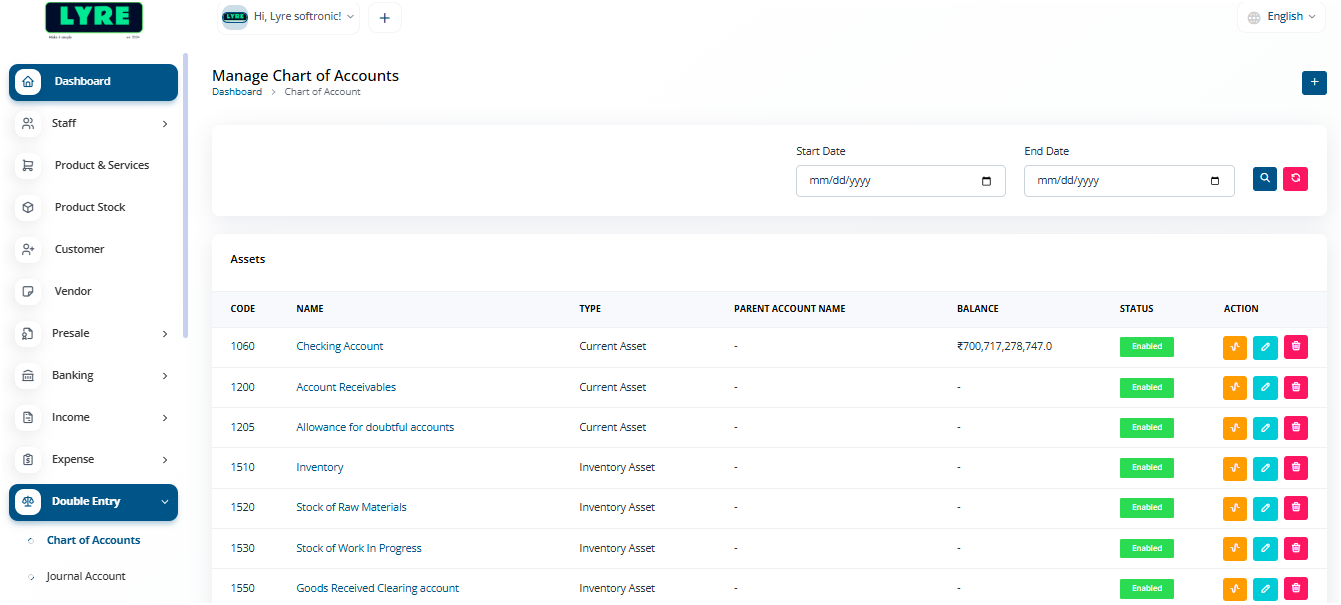
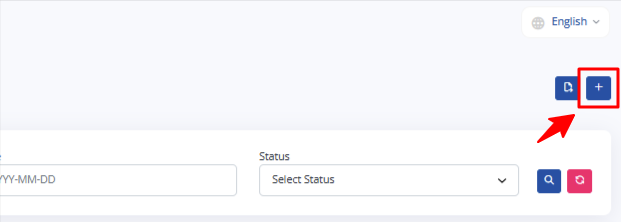
- Click on the '+' plus button on top right side to create.
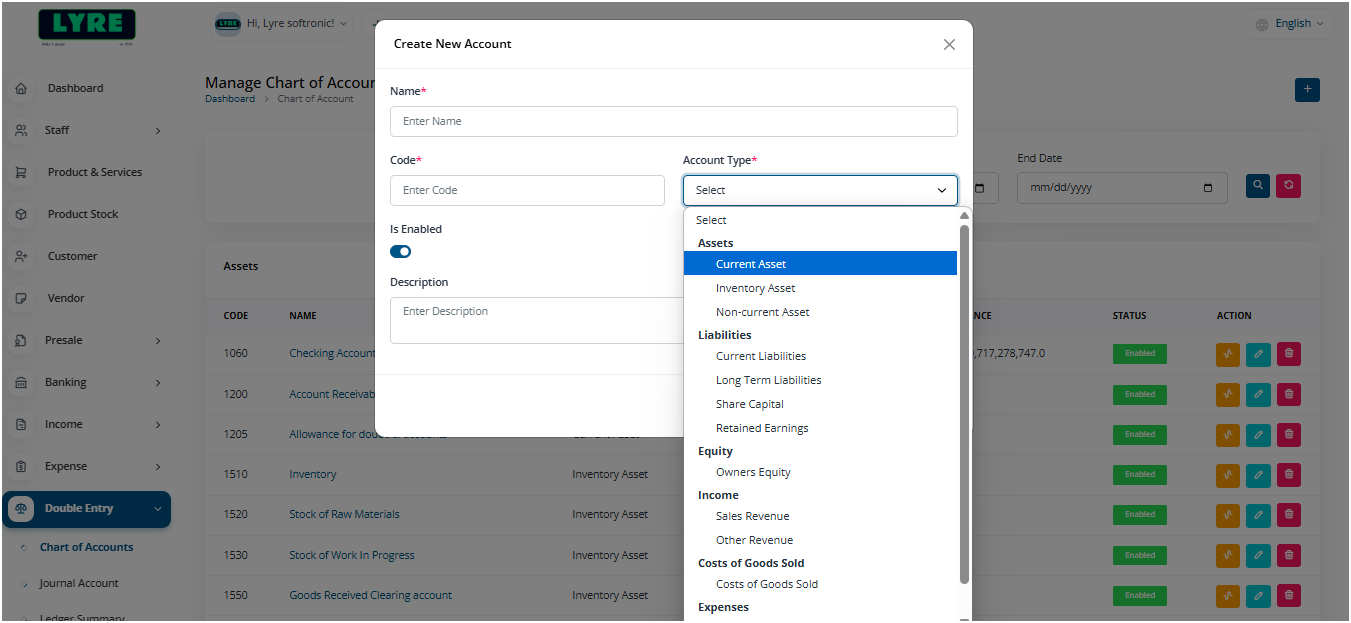
- On the create page enter the account name and select the type of account.
- Once done choose if you have any custom type for the account or you can just leave it empty and set Is Enabled button to turn blue.
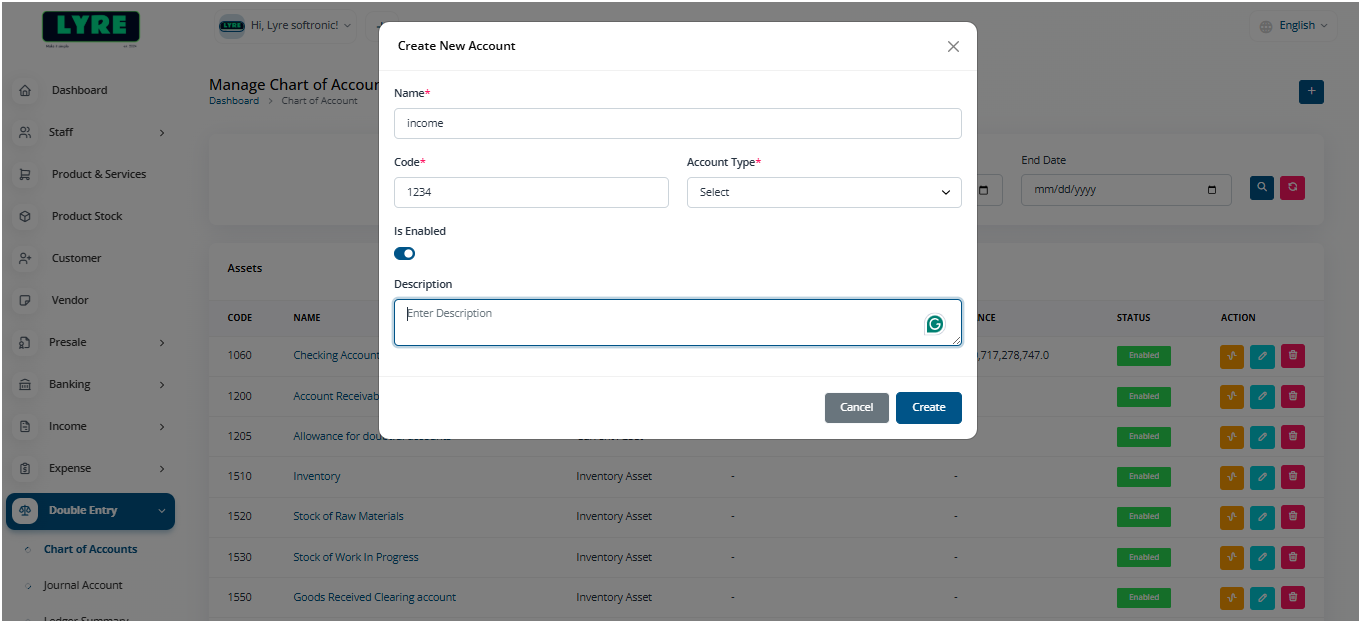
- Once done click Create and you should be able to see the account under the type list.